Manage document and drawing files, properties, references, and revisions in one place.
ENGINEERING DATA MANAGEMENT
One source of truth
for engineering data.
TAMI connects documents, drawings, BOMs, engineering changes, approvals, and Solid Edge work to create a traceable product development environment from creation through change, approval, and release.
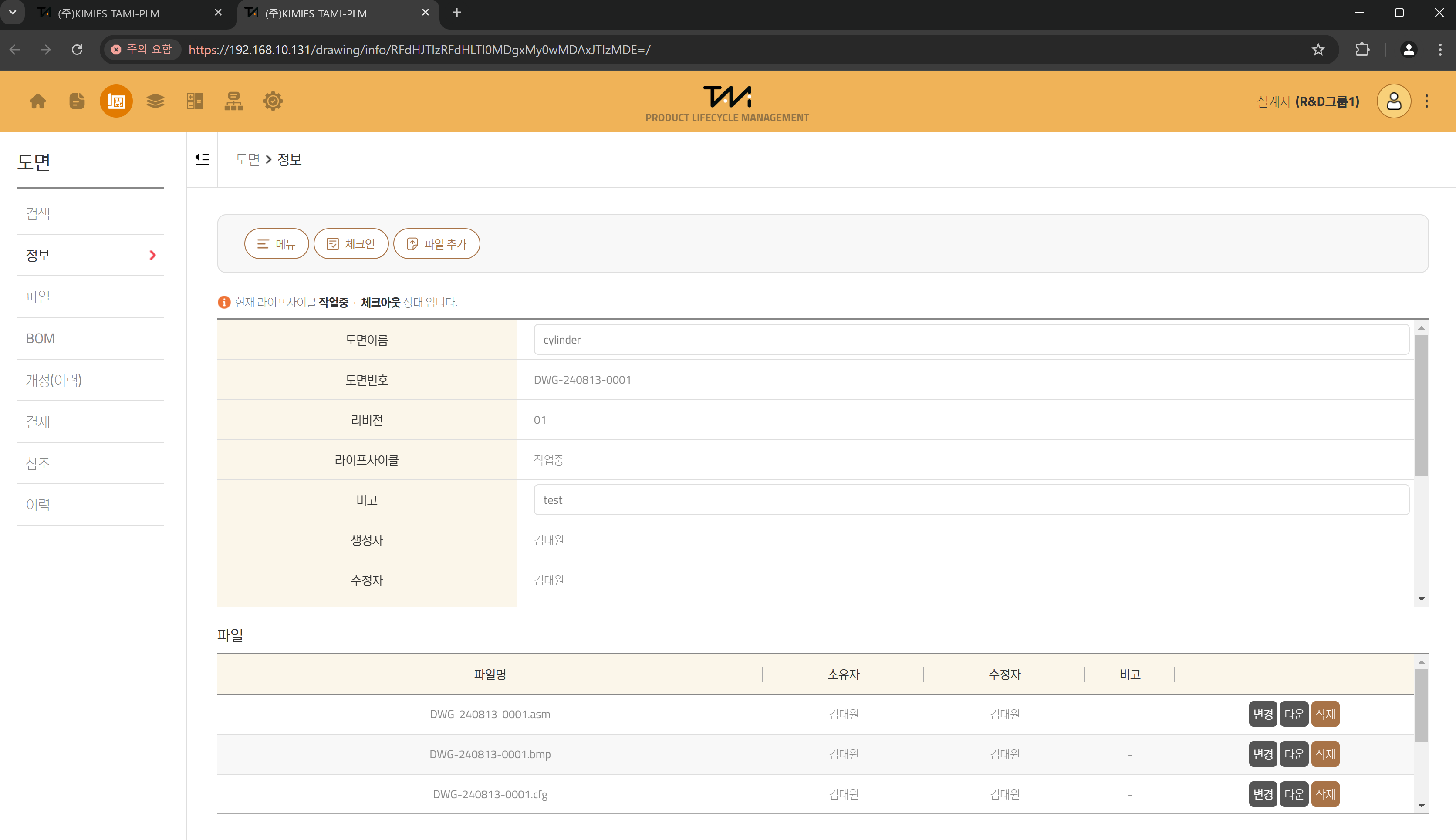
WHY TAMI
Connect scattered engineering assets and change processes
Turn drawings stored on shared drives and personal PCs, manually maintained BOMs, and disconnected approvals into a structured model built around items and relationships.
Use BOM comparison and forward or reverse analysis to identify affected items.
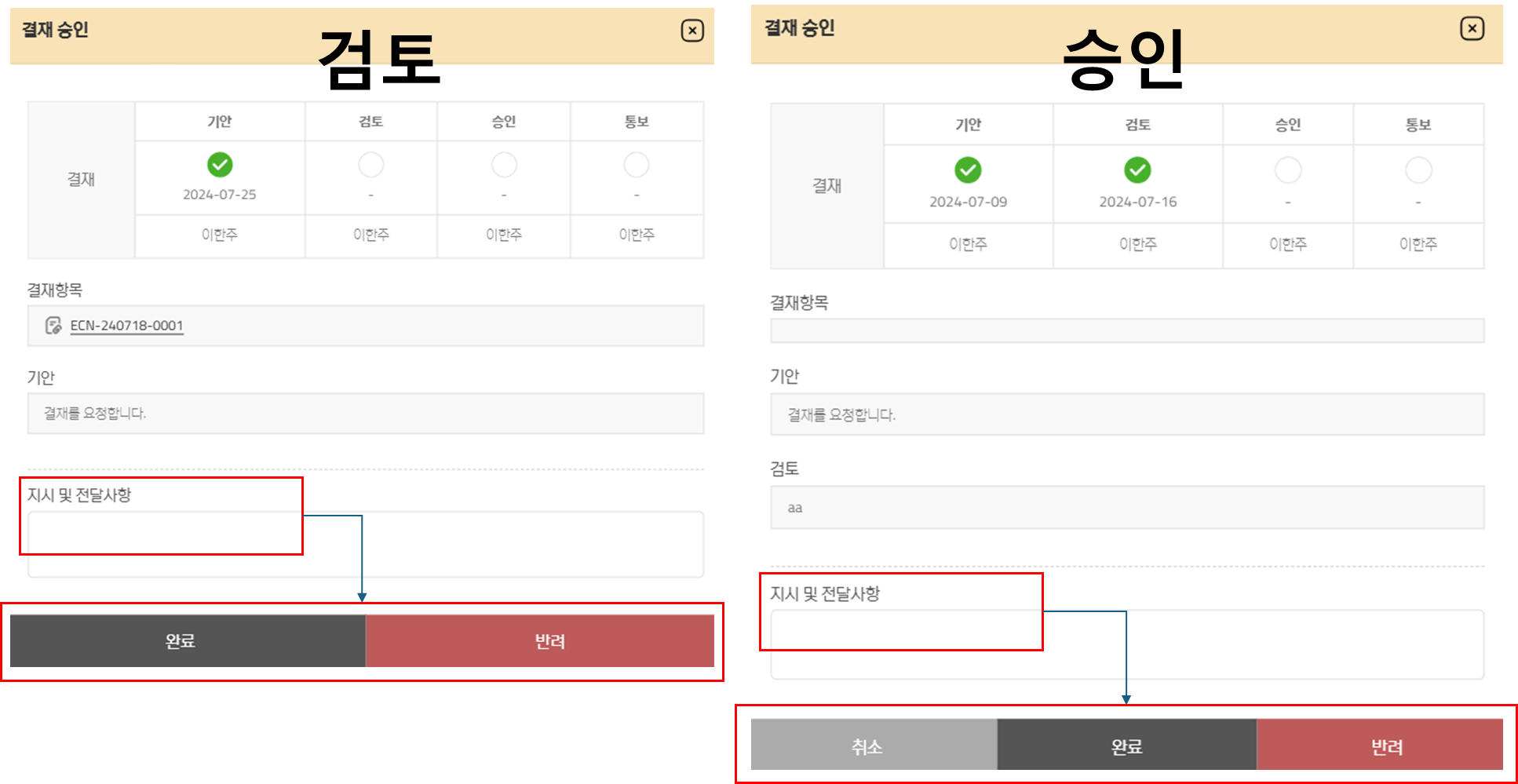
Connect ECRs and ECNs to approval routes and retain review, approval, notification, and release history.
MANAGED ITEMS
Manage the core information behind product development
Go beyond file storage by assigning each record defined properties, status, revisions, and reference relationships.
Documents
Manage specifications and technical documents with properties, attachments, and revision history.
Drawings
Connect 2D and 3D design files with drawing properties, BOMs, related documents, and approval status.
Quotations
Turn quotation materials into searchable managed items while preserving files and history.
ECR
Record the reason for an engineering change request and affected items, then connect it to downstream work.
ECN
Manage related ECRs, released items, and issue items as one engineering change notice.
INFORMATION MODEL
Preserve the complete context of every change
Every item shares the same information layers, helping engineers, reviewers, and managers collaborate from a consistent source.
Properties and classification
Apply standard properties and classification rules such as part number, name, author, and status.
Files and previews
Manage source files and attachments, with fast previews for supported formats.
BOMs and references
Connect parent-child structures, related documents, and change records.
Revisions and history
Track revisions, approvals, status transitions, and user activity.
CORE CAPABILITIES
Essential controls for product development
Items, files, and revisions
Use check-in, check-out, revision, derivation, preview, and change history.
BOMs and references
Edit structures, manage quantities and units, compare or clone BOMs, and export to Excel.
ECR and ECN change control
Connect requests, related ECRs, released items, and issue items.
Permissions, classification, and workflow
Apply group- and role-based access, classification, approval stages, and lifecycle rules.
DETAILED FUNCTIONS
Practical capabilities for everyday engineering work
| Area | Key functions | What users can verify |
|---|---|---|
| Search and review | Conditional search, details, files, previews | Find the latest information and status for an item |
| Work control | Check-in, check-out, revision, derivation, deletion | Separate working copies and preserve revision history |
| Relationships | Reference links, forward and reverse impact analysis | Trace what an item references and where it is used |
| BOM management | Add or unlink parts, edit quantity and unit, compare, clone | Review structural changes and reusable BOMs |
| Change management | Create ECRs, connect ECNs, manage release and issue items | Follow a change from its reason through execution |
| Approval and access | Draft, review, approve, notify, group and role permissions | Control accountable approvals and job-specific access |
TRACEABLE FLOW
An uninterrupted engineering change flow from creation to release
01Register and searchManage items and files with standard information
02Control workSeparate working copies with check-out and revisions
03Analyze impactUse BOMs and references to identify change scope
04Review and approveConnect ECRs and ECNs with approval workflows
05Release and traceRetain approved versions and release targets as history
CHANGE CONTROL
Keep engineering change requests connected to execution
Link the issues and reasons in an ECR with ECN execution targets and released items, preserving the full change from beginning to end.
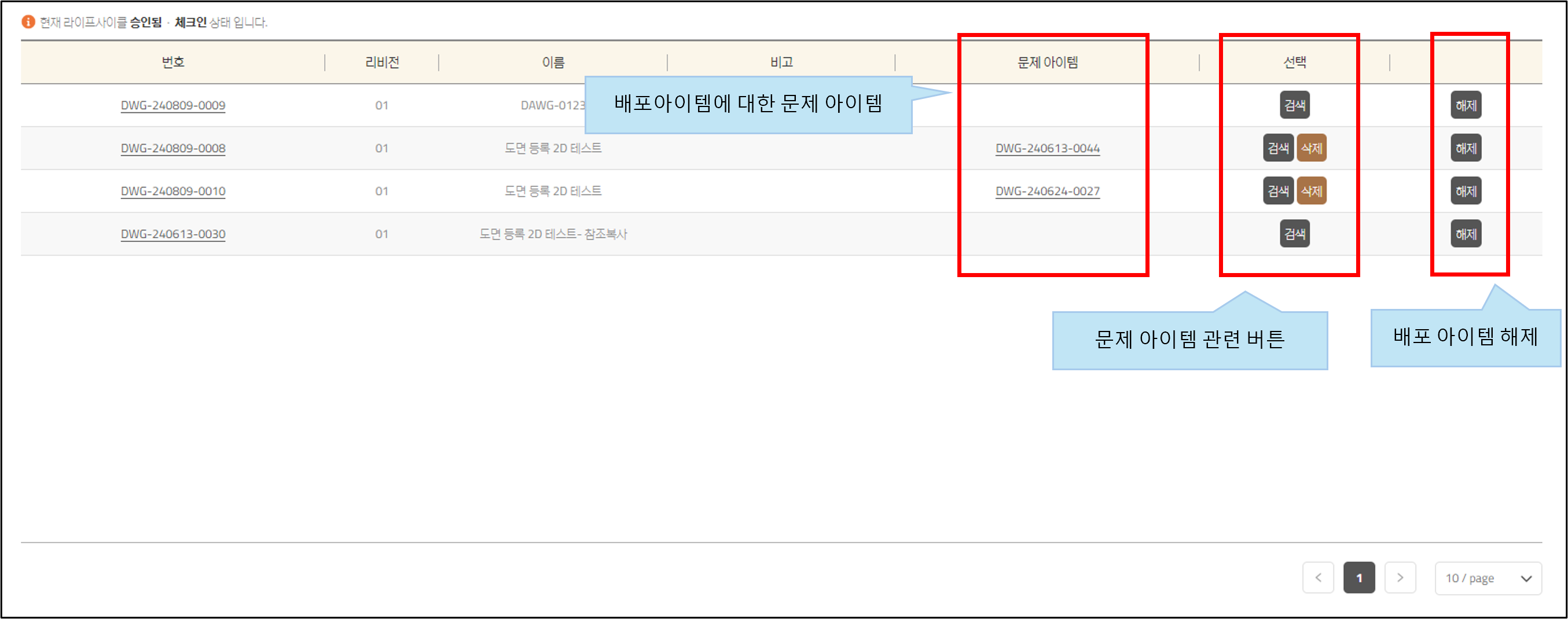
Manage related ECRs, released items, and issue items within an ECN
Review draft, review, approval, notification stages, and processing history
SOLID EDGE INTEGRATION
Use TAMI inside the CAD workflow
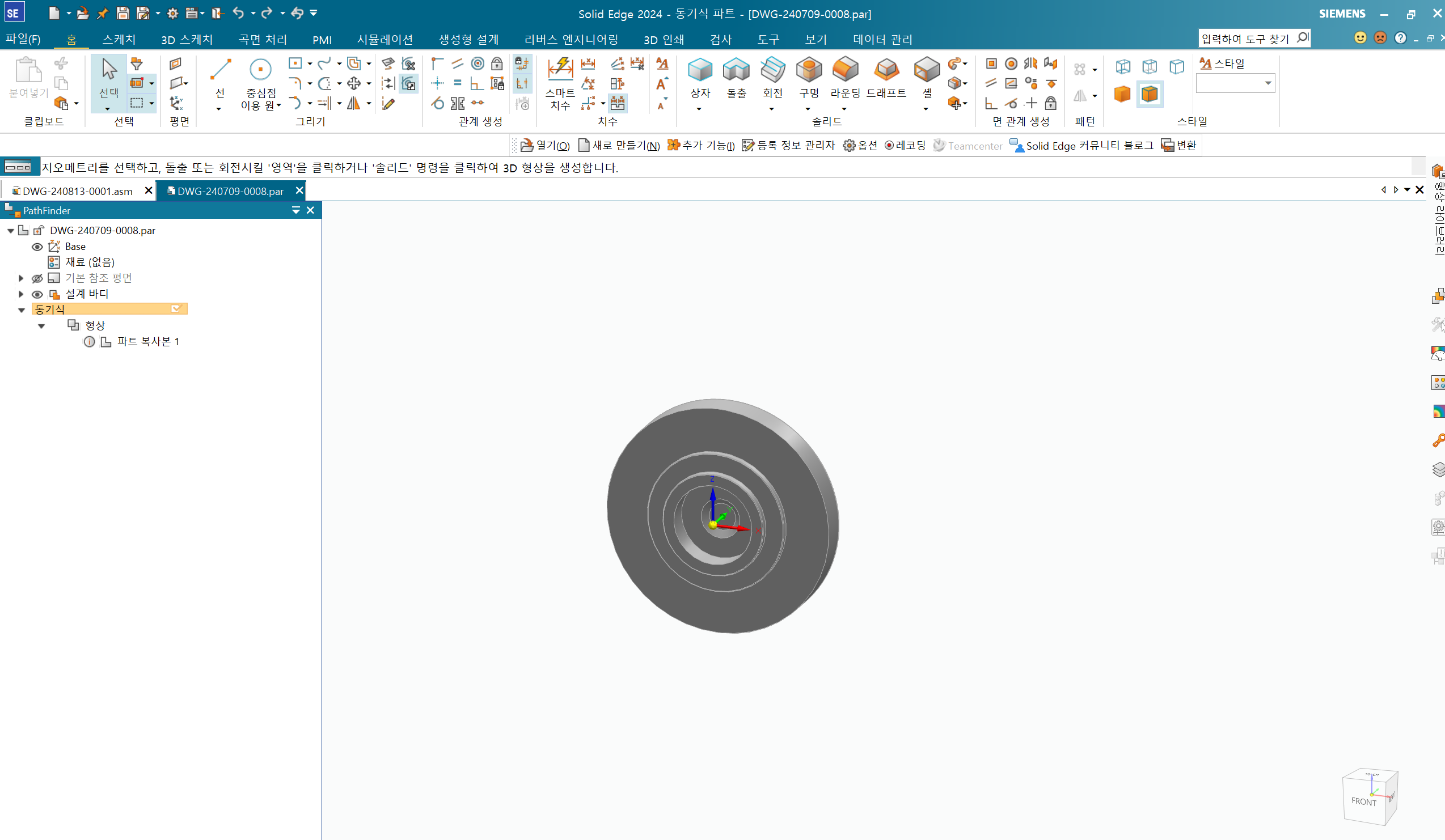
Engineers can search and open TAMI drawings from Solid Edge, edit properties and structures, then synchronize, validate, and upload their work.
PDFJTDWGParasolidSTEP
Supported environment: Solid Edge 2020 or later, Windows 10/11 64-bit, and .NET Framework 4 or later. Solid Edge 2024 is recommended.
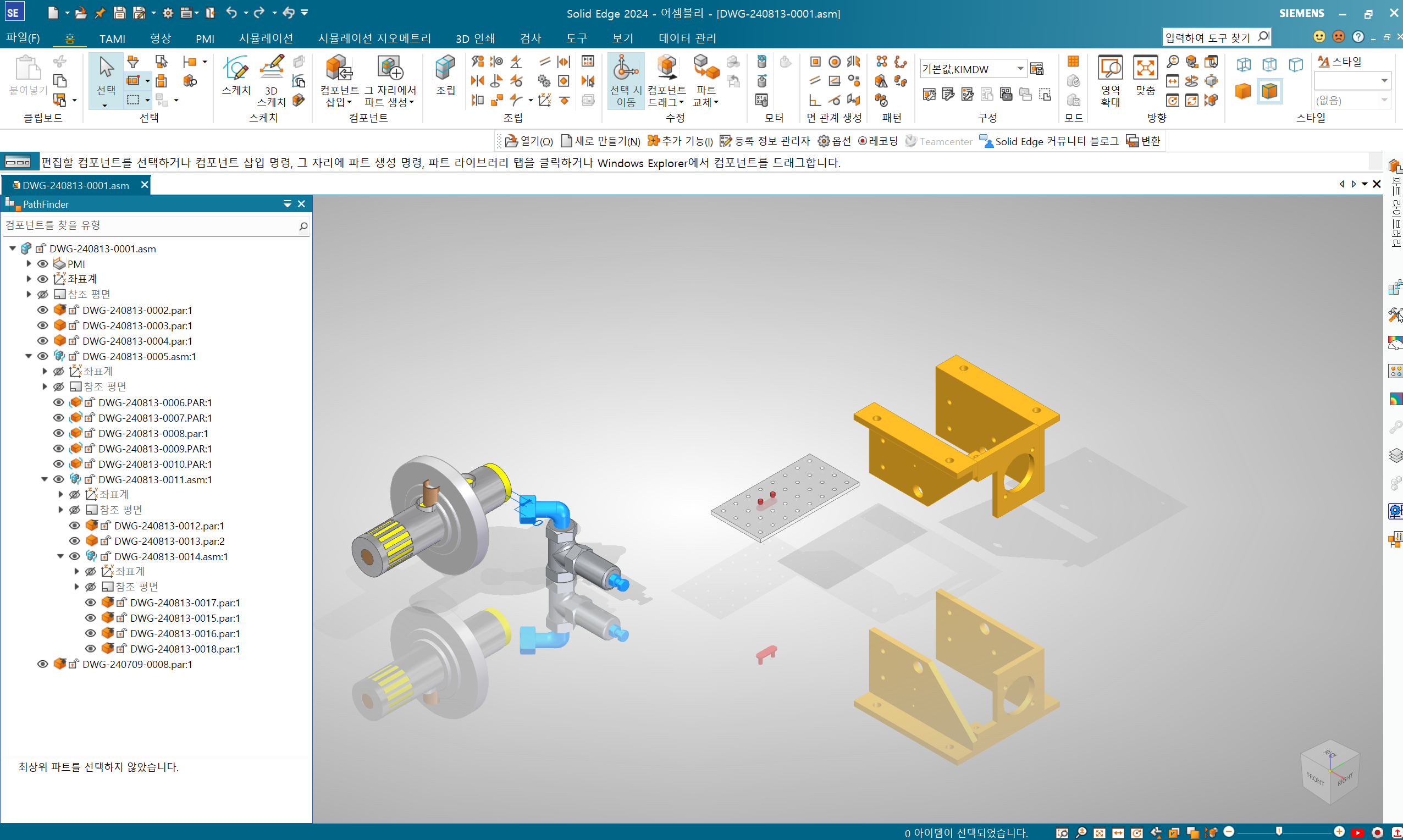
CAD WORKFLOW
Search, validate, and upload without leaving the design environment
Search and open TAMI drawings
Find registered drawings in Solid Edge and open them as working data.
Properties, revisions, and parts
Edit drawing properties, create revisions or derived items, and add parts to assembly structures.
Synchronization and validation
Align 3D assembly structures, properties, and files with TAMI drawings and BOMs, then validate the result.
Upload and neutral file generation
Upload validated designs and generate PDF, JT, DWG, Parasolid, STEP, and other required formats.
IMPLEMENTATION GUIDE
Adopt TAMI in stages based on your current engineering process
Implementation scope is designed around existing drawing and BOM systems, approval processes, Solid Edge versions, and security requirements.
01. Assess
Review managed data, drawing numbering, file locations, BOMs, and approval work.
02. Design standards
Define item properties, classification, numbering, permissions, lifecycles, and approval routes.
03. Apply data
Prioritize and set the migration scope for documents, drawings, properties, files, and BOMs.
04. Integrate and adopt
Configure Solid Edge, train users, and validate the system with real work scenarios.
FAQ
Frequently asked questions about TAMI
What is TAMI?
TAMI is an engineering data management platform that connects documents, drawings, quotations, BOMs, ECRs, ECNs, and approvals around managed items.
How is TAMI different from a file server?
TAMI manages properties, status, revisions, references, approvals, and engineering change history alongside files, making the latest version and full change context visible.
Can TAMI compare BOM changes?
TAMI compares added, removed, and modified BOM items and supports forward and reverse impact analysis across related structures.
Do users have to enter the same data again outside Solid Edge?
No. The integration lets users search, edit properties, synchronize structures, validate data, and upload results directly from Solid Edge.
Can approval stages and access rights match our organization?
TAMI supports group- and role-based permissions together with configurable review, approval, notification, and workflow stages.
Which neutral file formats can TAMI generate?
Depending on configuration, TAMI can generate BMP, PDF, JT, DWG, Parasolid, and STEP files.
What should we review before implementation?
Review the managed item and legacy data scope, drawing number and revision rules, classification, permissions and approvals, Solid Edge versions, and PC, network, and security environments.
PRODUCT INQUIRY